Quick Summary:
If your fire-rated LED lights flicker when used with a dimmer, you're not alone—and you're not stuck with the problem either. In this article, we break down the exact causes of flickering, common mistakes made during installation, and real-world solutions tested in the field. We’ll cover issues like dimmer compatibility, voltage irregularities, and driver mismatches, and how to properly spec and install fire-rated LED pot lights to eliminate shimmer, ghosting, or drop-out for good. Whether you're a homeowner doing a retrofit or a contractor building to code, this is your guide to flicker-free performance.
Why Do Fire-Rated LEDs Flicker on Dimmers?
Flickering in LED lighting is one of the most frustrating things to experience after installation—especially when you've invested in high-quality, fire-rated downlights that should meet all the technical standards. The good news? The problem is rarely the LED itself.
Most flickering comes down to:
- Dimming incompatibility
- Underpowered or overloaded drivers
- Improper installation or configuration
- Voltage fluctuations or wiring faults
Let’s dive into what these terms mean and how you can fix them.
Understanding LED Flickering: More Than Just a Nuisance
LED flickering can show up in various forms:
“The lights shimmer when dimmed below 50%.”
“There’s a ghosting effect even when the light is turned off.”
“Sometimes the light just pops on or drops out altogether.”
These are all symptoms of LED dimmer flicker, often caused by a mismatch in how the dimmer communicates with the LED driver. The underlying problem could relate to:
- Flicker frequency (Hz) – If this falls below 100Hz, you’ll often notice a visible flicker, which can be distracting or even cause discomfort over time. Invisible flicker, occurring at higher frequencies, can still lead to eye strain, especially in work or retail environments.
- Inrush current – When an LED system is first powered on, it may draw a spike of current (up to 50x its running level), which some dimmers can't handle.
- LED load vs minimum load – Many dimmers, especially older models, have a minimum load threshold. A few low-wattage fire-rated pot lights can fall under this limit, resulting in flickering or buzzing.
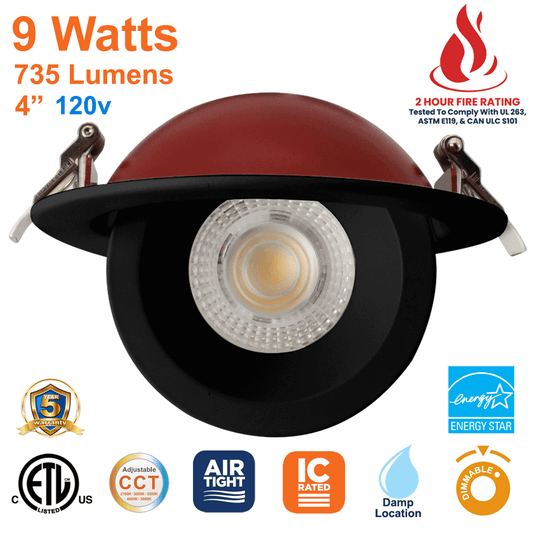
If you’re using a 4-inch fire-rated pot light like this one, it’s critical to ensure your dimmer is LED-compatible and rated for low-wattage LED loads.
The Dimmer Compatibility Trap
Traditional dimmers were designed for incandescent bulbs, which operate as simple resistive loads. But LEDs are semiconductors, and their drivers expect specific control signals. That’s where things can go wrong.
Common dimmer types you may encounter:
- TRIAC dimming / Leading-edge dimmer: Often incompatible with modern LED drivers, especially in fire-rated LED pot lights.
- Trailing-edge dimmer / Reverse-phase dimmer: More suitable for electronic LED drivers, especially those used in compact and efficient fixtures like our 3-inch fire-rated pot lights.
- PWM dimming (Pulse Width Modulation): Effective when the modulation frequency is high enough (typically above 300Hz) to avoid visible flicker.
- 0–10V dimming: Usually reserved for commercial dimming systems and not commonly found in residential pot light installations.
If you’re seeing symptoms like buzzing, shimmer, or drop-out, it’s time to check the LED dimmer compatibility chart provided by your dimmer’s manufacturer. Matching your dimmer to your LED driver is step one in fixing the issue.
Tip: Don’t rely on “dimmable” alone. That just means the fixture supports dimming—it doesn’t guarantee compatibility with every dimmer type.
How Fire-Rated LEDs Complicate Things Further
Fire-rated LEDs, like our 6-inch fire-rated model, are engineered to comply with UL263 and other safety standards to contain fire for up to two hours. But their thermal protection and IC-rated housings can also introduce new variables:
- Tighter heat management = more sensitive electronics
- Integrated circuit (IC) limitations = stricter driver requirements
- Voltage drop across long runs = increased chance of instability
Combined, these factors mean flicker-free dimming requires planning, not guesswork.
Prevent Flicker Before It Starts
Here’s how to get it right the first time:
- Use a dimmer explicitly rated for LED loads. If the packaging doesn’t mention LED compatibility, avoid it.
- Check the minimum load on your dimmer. If your total LED load is under this value, the dimmer may not work properly.
- Spec an LED driver matched to the dimmer type—and vice versa. This is especially critical for retrofitting older systems.
- Use known compatible products. At LED Network, we test our dimmable, fire-rated LEDs against leading dimmers to ensure seamless performance.
- Install according to code and include a neutral wire if your dimmer requires one (many smart dimmers do).
Practical Troubleshooting: Fixing Flickering LEDs After Installation
Even if you've carefully selected a fire-rated LED fixture and dimmer, issues can still appear post-install. That’s why on-site diagnostics are essential for identifying the root cause of LED flickering.
Let’s walk through real-world problems and how to solve them.
Scenario 1: Flicker at Low Dimming Levels
Symptoms: Shimmer, ghosting, or inconsistent brightness when dimming below 30%.
Cause: Many dimmers aren’t calibrated to control LEDs at extremely low brightness. This leads to unstable conduction, especially when using leading-edge dimmers.
Solution:
- Use the dimmer’s low-end trim setting (if available) to set a minimum brightness level just above where flicker begins.
- Consider upgrading to a reverse-phase ELV dimmer, which works more effectively with modern constant current drivers.
- Check whether your LED load meets the dimmer's minimum load requirement. If not, add a manufacturer-approved LED load adapter.
Scenario 2: Flicker When Lights Turn On
Symptoms: Quick flicker or pop-on behavior when lights are powered up.
Cause: This is often related to inrush current, which can spike when multiple fixtures (and drivers) start simultaneously.
Solution:
- Divide lighting into separate zones if you're controlling multiple fixtures on one circuit.
- Swap to a dimmer rated for high inrush tolerance.
- In residential spaces using multi-way switching, ensure the master dimmer is installed in the box with the line/load, and the accessory dimmer is used at other points.
Scenario 3: Only One or Two Fixtures – But Still Flickering
Symptoms: Flickering, buzzing, or strobing with a single small fixture installed.
Cause: You’re likely below the minimum load threshold required for stable dimmer operation.
Solution:
- Pair the fixture with a low-load LED-rated dimmer.
- Add an additional fixture or a dummy load to bring the total wattage up to spec.
- Example: A single 8W fire-rated pot light on a legacy dimmer may need support to stabilize.
Scenario 4: Lights Buzz or Hum When Dimmed
Symptoms: Audible buzzing or humming when adjusting brightness.
Cause: This usually indicates driver-dimmer mismatch, often from using TRIAC dimming with incompatible drivers.
Solution:
- Replace the dimmer with a trailing-edge model designed for electronic drivers.
- Confirm that the LED driver is not producing electromagnetic interference (EMI).
- Use shielded wiring if EMI is suspected.
“The dimmer may work, but that doesn’t mean it’s the right one for the job. Always match the technology on both ends.”
Mistakes That Lead to Flicker (And How to Avoid Them)
Here are the top oversights that result in frustrating dimmer performance—especially in fire-rated LED installations.
1. Not Checking Fixture Compatibility
Every fire-rated LED is built differently. Some include integrated drivers; others rely on external ones. Compatibility must be checked against the dimmer’s specs.
- If you're using a CCT-selectable downlight, ensure its internal driver supports your dimming type.
2. Underestimating Load Capacity
With multi-gang dimming setups, you lose capacity due to heat sink tab removal, which is rarely considered until flickering starts. Always de-rate dimmers appropriately based on installation.
3. Skipping Neutral Requirements
Modern smart dimmers and ELV models often require a neutral wire. If your retrofit location doesn’t have one, you may need to rewire or choose a compatible alternative.
Best Practices for Flicker-Free Installations
To ensure long-term performance and eliminate callbacks:
- Document your dimmer model and compatible fixture during installation.
- Standardize a fixture + dimmer pair that you know works and use it consistently across similar projects.
- Stick to trusted products with clear LED dimmer compatibility charts.
- Ensure code compliance, including NEC 404.2(C), which mandates neutral conductors in switch boxes for new builds.
Pro Tip: Spec Once, Install Once
At LED Network, we design our fire-rated LED pot lights with installation simplicity and electrical compatibility in mind. Every model undergoes in-house testing for compatibility with top dimmer brands and control systems.
We recommend choosing from our fire-rated pot light collection to ensure smooth integration in both new construction and retrofit projects.
Build a Flicker-Free Lighting Spec From the Ground Up
Now that we’ve explored common causes and practical fixes for LED flickering, it’s time to shift into prevention mode. Whether you're designing a new build, managing a retrofit, or specifying fire-rated pot lights for code-compliant installs, the key to success is planning — not patching.
Let’s walk through how to build a flicker-proof lighting spec, with clear recommendations, real-world examples, and a practical checklist you can apply right away.
Step 1: Choose the Right Dimming Type
Each dimming method behaves differently depending on the type of LED driver and control system you’re using.
Overview of Common Dimming Types
| Dimming Type | Best For | Notes |
|---|---|---|
| TRIAC (Leading-Edge) | Incandescent or MLV drivers | Higher flicker risk with LEDs |
| Trailing-Edge (ELV) | Most modern LED drivers | Smoother dimming, preferred |
| PWM Dimming | Strip lights, low-voltage LEDs | Requires high frequency (300Hz+) |
| 0–10V Dimming | Commercial systems, high CRI setups | Needs separate low-voltage control |
| Smart Dimmers | App-controlled lighting | Often require neutral wires |
If you’re using one of our CCT-selectable fire-rated fixtures, you’ll want to pair it with a reverse-phase (ELV) dimmer that’s rated specifically for LEDs. This ensures smoother low-end control and minimizes shimmer.
Step 2: Match Dimmer to Driver
“Flicker almost always comes down to one thing: the dimmer doesn’t match the driver.”
Every LED fixture contains or connects to a driver — it converts AC to DC and regulates voltage/current. Not all drivers are compatible with all dimmers.
Best Practices:
- Check the manufacturer’s compatibility chart for both the dimmer and the driver.
- Ensure the driver type (constant current or constant voltage) aligns with the dimmer’s load control.
- If the fixture uses PWM dimming, ensure the modulation frequency is at least 300Hz or higher to prevent visible flicker.
Our team at LED Network performs compatibility testing in-house, so if you’re unsure, contact us for a dimmer recommendation that works seamlessly with any of our fire-rated models.
Step 3: Factor in Load and Layout
Key Specs to Consider:
- Minimum load: Some dimmers require a minimum wattage to function. With energy-efficient LED fixtures, it’s easy to fall under this threshold.
- Maximum load: Don’t overload the dimmer, especially in multi-gang dimming setups where heat sink tab removal reduces the dimmer’s capacity by up to 40%.
- Voltage drop: In long runs (especially in commercial spaces), use heavier-gauge wire to mitigate voltage drop, which can cause inconsistent brightness or flicker at the far end.
Pro Tip: When controlling a small circuit (like a single pendant or pot light), opt for a dimmer that supports very low LED loads, or use a load adapter.
Step 4: Understand Environmental & Wiring Factors
Even the best fixture + dimmer pairing can fail if installed incorrectly or in challenging conditions. Here’s what to watch for:
- Neutral wire availability: Many dimmers (especially smart models) require a neutral connection. For remodels, check the NEC 404.2(C) compliance to ensure wiring boxes have it.
- Loose connections: Flickering often occurs from faulty wiring, poor solder joints, or ungrounded metal boxes. Always double-check terminals and run a full connection check.
- EMC interference: Drivers in close proximity to HVAC equipment or electrical panels may produce electromagnetic interference, which manifests as flicker or LED driver noise.
If installing in commercial or high-spec environments, consider dimmers rated for DALI dimming compatibility or commercial dimming systems that support advanced protocols.
Step 5: Use a Proven Fixture + Dimmer Pairing
The most reliable way to prevent flicker is to standardize a tested lighting combination. All LED Network fire-rated pot lights are:
- Dimmable and CCT-selectable
- Tested for compatibility with top dimmer brands
- Built with integrated, flicker-free drivers
- Available in multiple sizes including 3-inch, 4-inch, and 6-inch formats
Choosing tested, high-quality fixtures removes the guesswork and reduces the need for trial-and-error fixes on site.
Final Checklist: Stop LED Flicker Before It Starts
Before you finish your project quote or begin installation, walk through this simple checklist:
- Are you using a dimmer rated for LED fixtures?
- Is the dimmer type (ELV, TRIAC, PWM) compatible with your driver?
- Does your total LED load meet the minimum and maximum load specs?
- Are you using a known good pairing of fixture and dimmer?
- Is the wiring sound — including a neutral wire if needed?
- Have you tested for flicker before signing off?
Conclusion: Stop Flickering Fire Rated LEDs on Dimmers with Confidence
Whether you're a homeowner experiencing annoying shimmer or a contractor trying to avoid repeat visits, fixing LED flicker is rarely about luck — it’s about specification, compatibility, and execution.
By understanding the key causes of LED dimmer flicker — from flicker frequency to dimmer de-rating — and by using tested components like the ones we offer at LED Network, you can deliver flawless, flicker-free lighting every time.
For help choosing the right products or to discuss compatibility with your project’s dimmers, reach out to our team today.
Frequently Asked Questions (FAQ)
Stop Flickering Fire Rated LEDs on Dimmers: Proven Solutions
1. Can using a higher wattage LED prevent flickering?
Not necessarily. While increasing wattage may help meet a dimmer's minimum load, flicker is more about compatibility between the dimmer and driver than wattage alone. Always check if your dimmer is designed for low-wattage LED loads.
2. Are fire-rated LEDs more prone to flicker than standard LEDs?
They can be — but not because they're fire-rated. Fire-rated LEDs are engineered with additional thermal protection layers and enclosed housings, which may make driver integration and heat dissipation more sensitive. Proper dimmer pairing and driver matching are key.
3. Do all dimmable LEDs work with all dimmers?
No. “Dimmable” means the fixture supports dimming, but not all dimmable LEDs are compatible with every dimmer. Always consult LED dimmer compatibility charts or use products that have been tested together, like those from LED Network.
4. What’s the difference between shimmer and flicker?
Shimmer is a subtle, rapid change in brightness — often visible at lower dimmer levels. Flicker is a more pronounced on/off pulsing. Both can stem from poor dimmer-driver synchronization or low-frequency PWM dimming.
5. Why does my LED only flicker when other appliances turn on?
This points to voltage fluctuations in your electrical circuit. When appliances like HVAC systems or microwaves turn on, they can cause momentary drops or spikes in voltage, which affect sensitive LED drivers.
6. Do smart dimmers cause more flickering than manual ones?
Sometimes. Smart dimmers may introduce more variables, such as neutral wire requirements, software-based dimming curves, or EMC interference. That said, high-quality smart dimmers from reputable brands are usually stable when installed correctly.
7. Can I daisy-chain multiple fire-rated pot lights without flickering?
Yes, but be cautious of:
- Total circuit load
- Voltage drop across long runs
- Using a driver that supports multiple outputs or wiring them in parallel with the correct specifications
Always follow the manufacturer’s guidelines or use IC-rated, dimmable units like those in our fire-rated collection.
8. Why do my LEDs flicker more when dimming lower?
This is a classic sign that the dimmer lacks fine-grain control at low outputs. Look for dimmers that offer low-end trim adjustment, or switch to a reverse-phase dimmer that better regulates LED current at low brightness levels.
9. Can LED flickering damage the lights over time?
In some cases, yes. Chronic flickering can stress the internal driver circuits, causing premature failure. It can also indicate heat or voltage instability, which may lead to driver shutdown or reduced fixture lifespan.
10. Do fire-rated LED pot lights require special dimmers?
Not "special" — but they do require compatible dimmers. Because fire-rated LEDs often include sealed housings and specific driver types, using an LED-rated reverse-phase dimmer is usually best practice. Confirm compatibility for dimming type, voltage, and load capacity before installation.